ReclaimStationby SmartFACT

RECLAIMSTATION · INVITED TRIAL

What is refurbished parts traceability?

Updated

Refurbished parts traceability is the record of where a reused part came from, how it was checked and which unit it went into, so a problem with one part can be followed back to its source and forward to every unit that used it. ReclaimStation keeps that record for every part recovered from a returned unit: its source return, its checks and independent release, the unit it is reserved for and fitted into, and any concern that holds it.

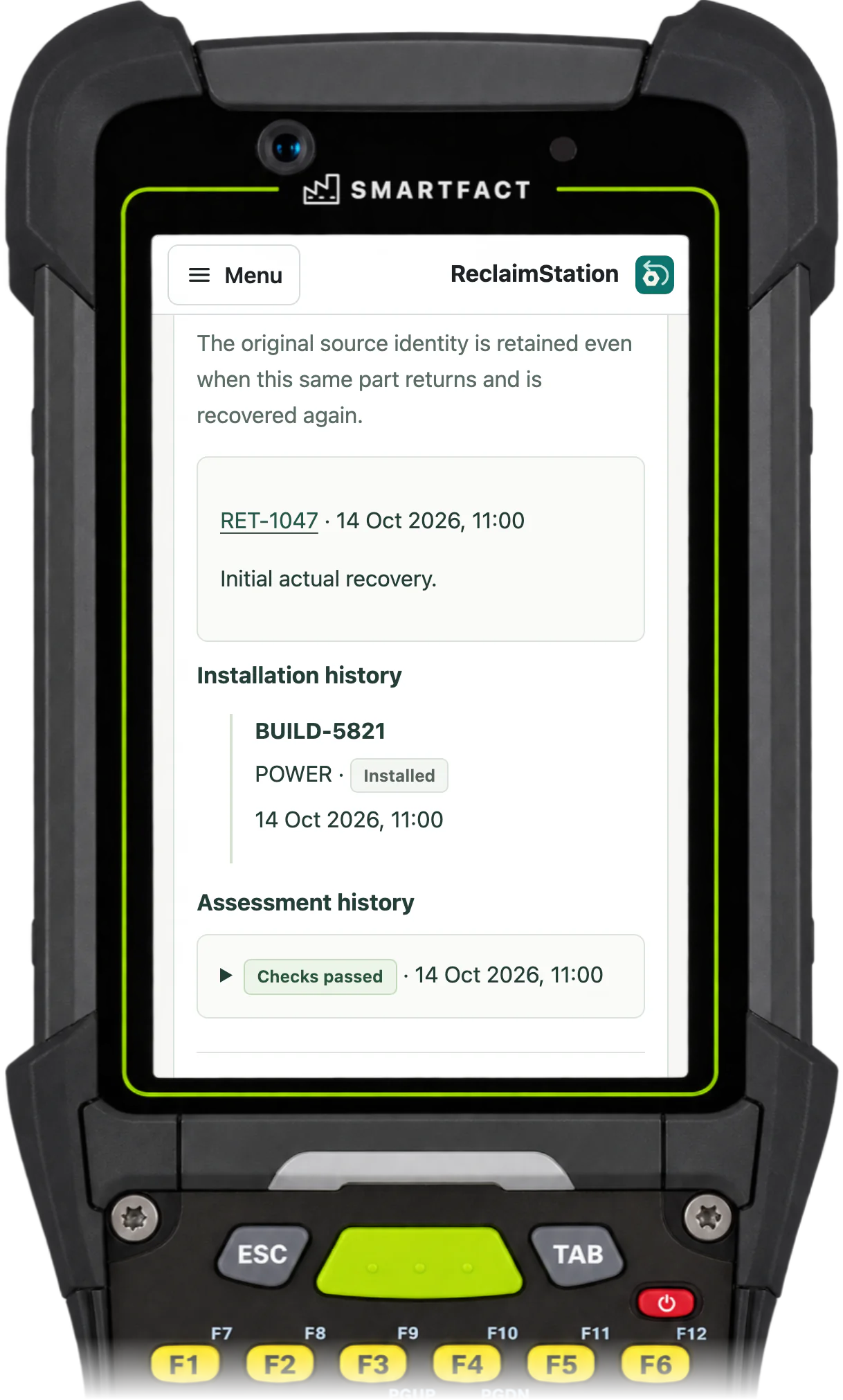
ReclaimStation component record: recovered on return RET-1047, installation history BUILD-5821, POWER, Installed, and assessment history Checks passed
A recovered part's source return and the unit it went into, on a handheld or scan station.

Where did the part come from?

Every recovered part is recorded against the return and the unit it actually came out of, with the approved recovery method, its position in the unit, its part code, revision and manufacturer serial, and the condition seen. A part that was expected but not recovered, such as a cracked cover, is recorded as a finding, not as a part. The part keeps its source unit and return for as long as it is in use, and every recovery visit is listed.
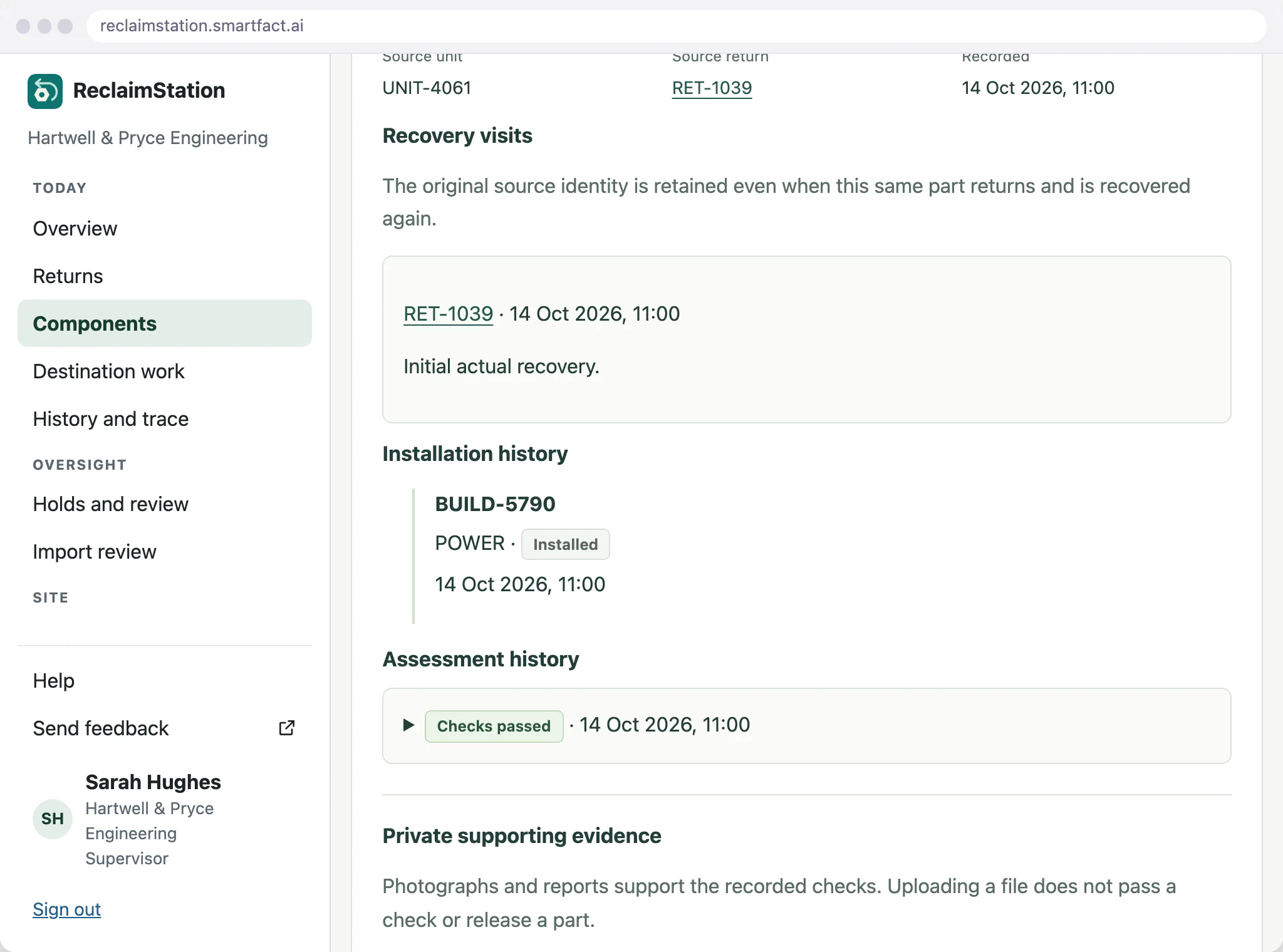
ReclaimStation component record in the office: source unit UNIT-4061, source return RET-1039, its recovery visit, installation history BUILD-5790, POWER, Installed, and Checks passed
The source unit and return stay on the part's record, beside the unit it is fitted in.

One identity for each part

Each recovered part gets its own identity and QR label, separate from the manufacturer's serial, which is kept exactly as printed. Scanning a label opens that one record. An unknown barcode is refused and creates nothing, so a part without a record can't quietly join the stock.
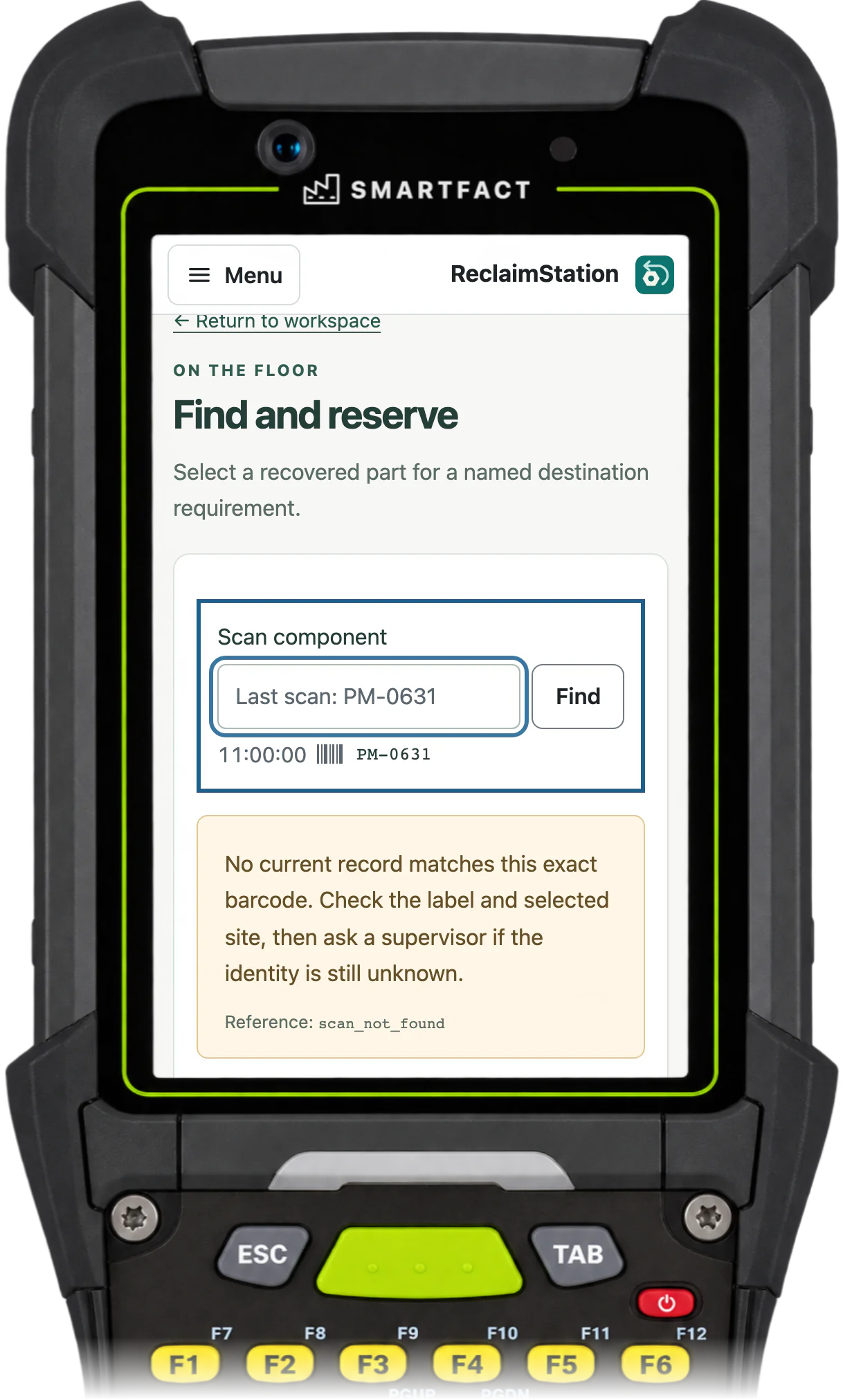
ReclaimStation Find and reserve after PM-0631 was scanned: No current record matches this exact barcode. Check the label and selected site, then ask a supervisor if the identity is still unknown.
An unknown barcode is refused and creates nothing, on a handheld or scan station.

Checked, then released by someone else

Checks are recorded against the approved method, such as a bench output reading, and its limits are applied when the checks are submitted. A recovered part stays held until a supervisor who didn't supply that evidence reviews the observations, the owner's permission and the intended use, and releases it. Grading a part is not releasing it.
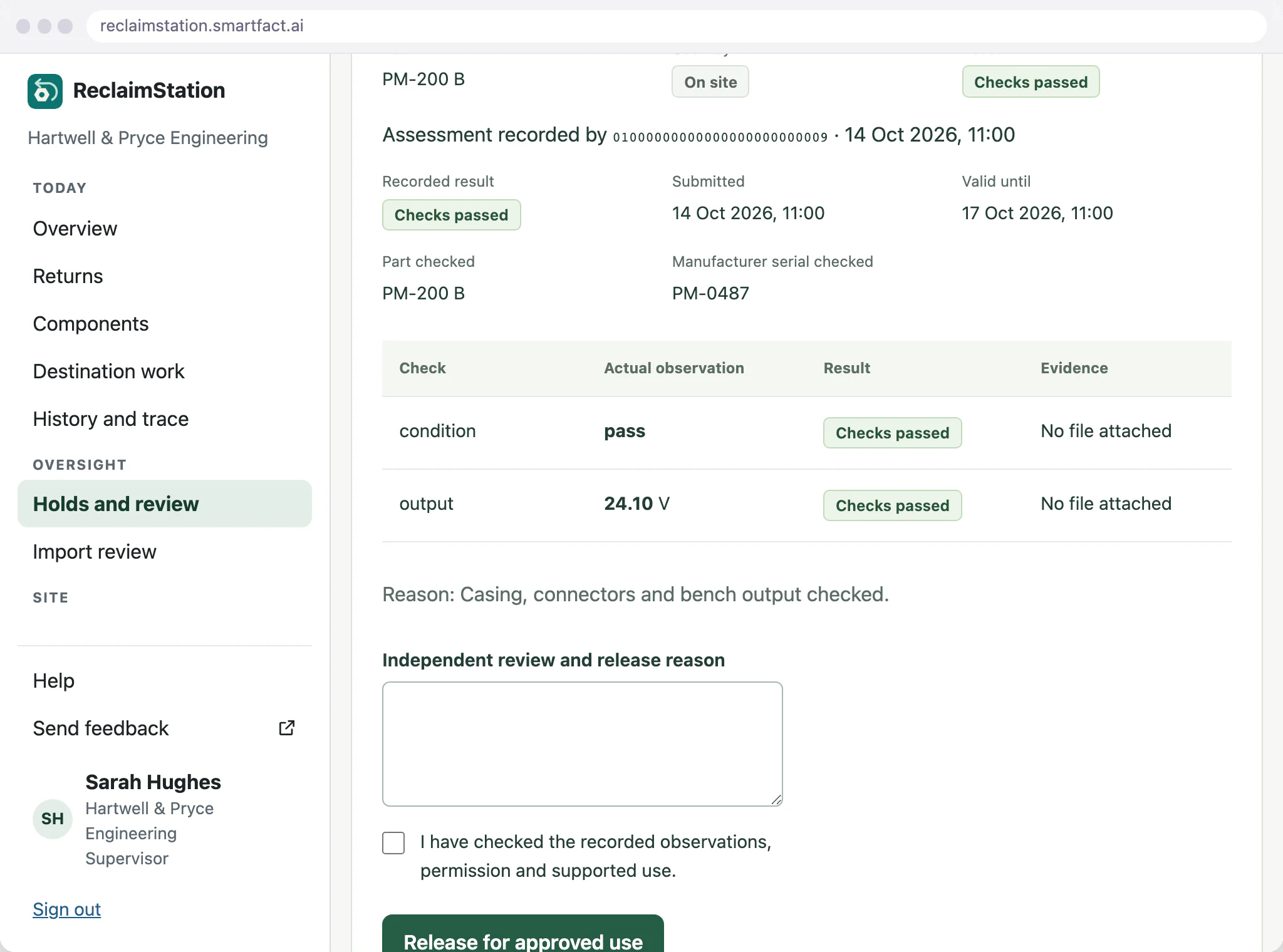
ReclaimStation independent component release for PM-200 B, serial PM-0487: condition pass and output 24.10 V, both Checks passed, with the release reason and confirmation still to complete
The supervisor sees the recorded checks before releasing a part.

Which unit is it going into?

A released part is reserved for a named unit's requirement, with its slot and required revision. Permission, release, holds and the approved reuse policy are checked again, and two people can't reserve the same part. A reservation is not a fitting: the installation is recorded when the part and the unit are both scanned against the reservation, started and confirmed once the part is physically fitted.
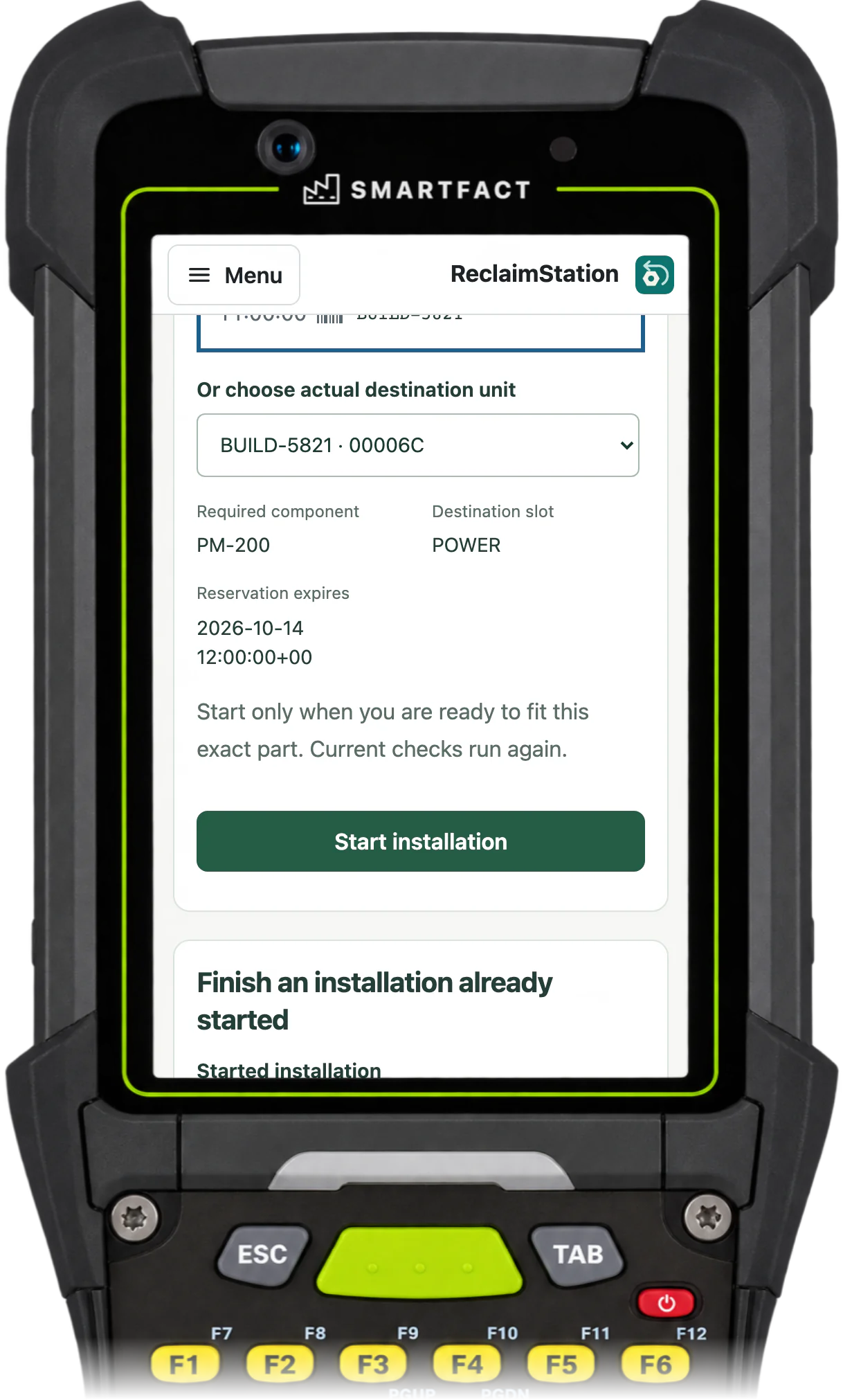
ReclaimStation installation check for destination unit BUILD-5821: required component PM-200, destination slot POWER, the reservation expiry, and Start installation
The part and its destination unit are checked against the reservation, on a handheld or scan station.

Held parts stay out of use

A part waiting for its checks and release stays out of use wherever it is put. Moving it into a bin doesn't make it available, and a reservation for it is refused with the reason, for a supervisor to review what is missing.
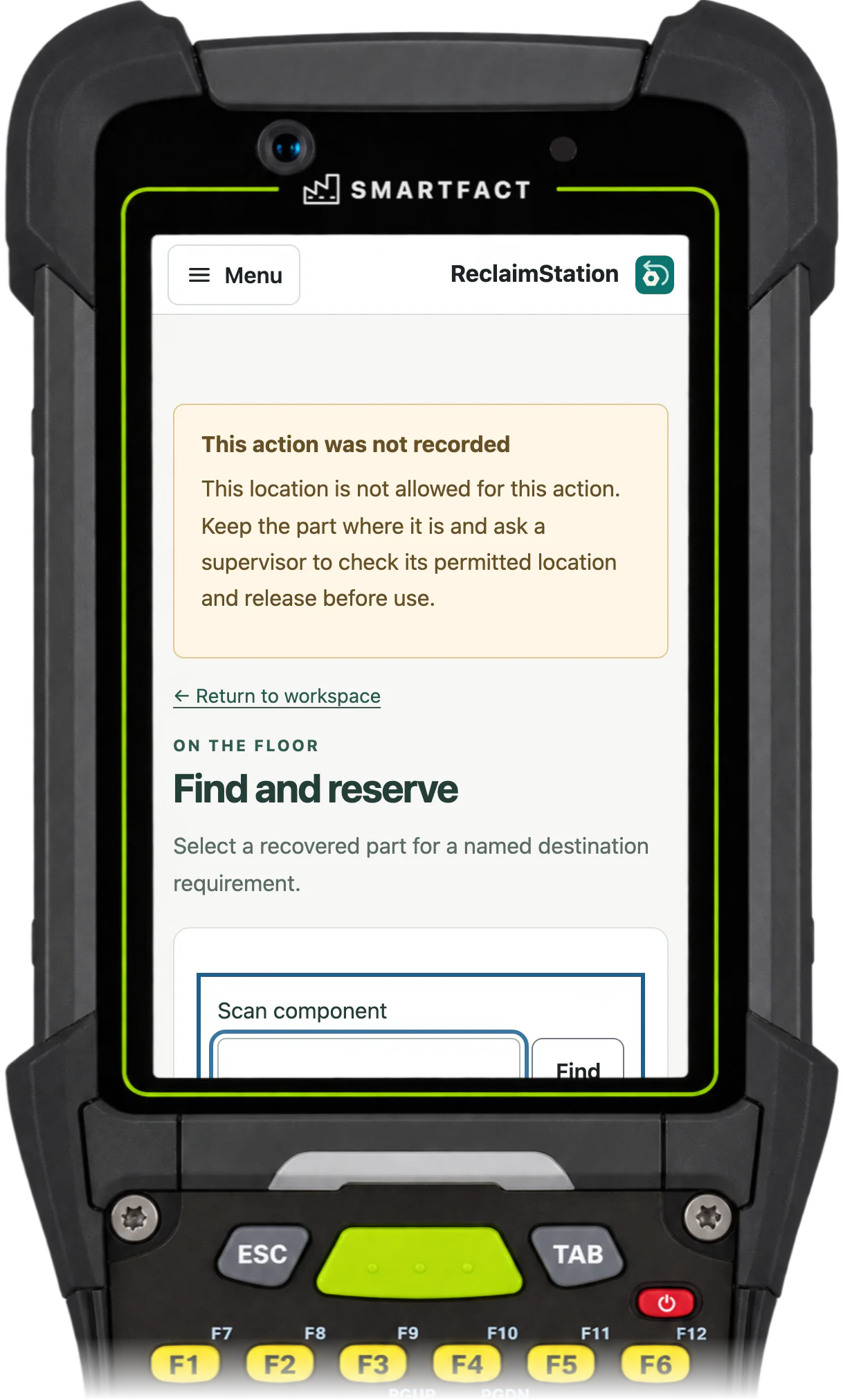
ReclaimStation Find and reserve: This action was not recorded. This location is not allowed for this action. Keep the part where it is and ask a supervisor to check its permitted location and release before use.
A reservation for a part that isn't released is refused, on a handheld or scan station.

When a source problem turns up

A supplier notice about a serial, or a fault found in a fitted unit, is recorded as a concern against the exact part. It blocks affected use at once and shows the units the part is fitted in, so a supervisor can follow it back to the return and forward to every unit that used it. A concern is a record of what is known, not a completed recall.
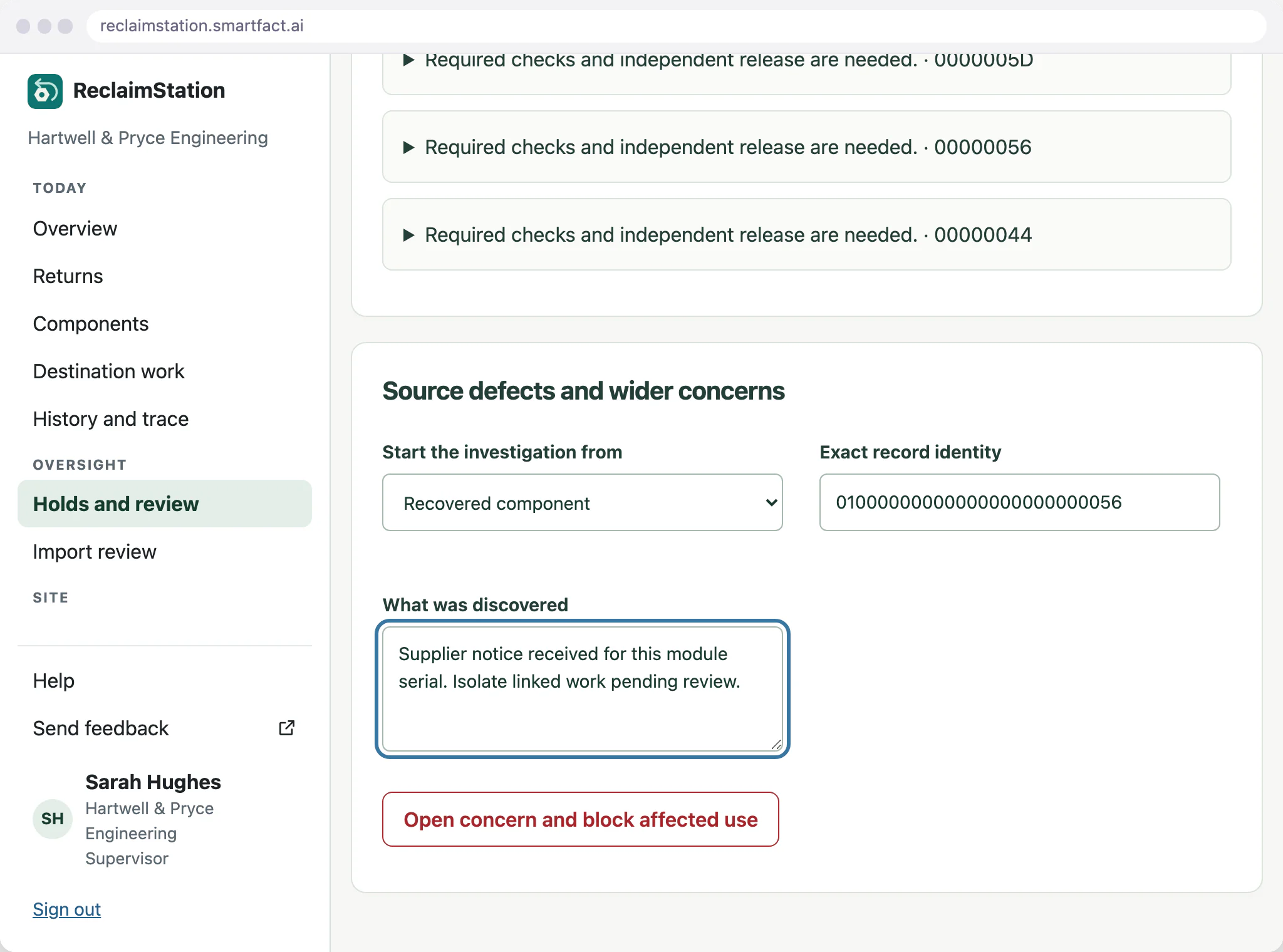
ReclaimStation source defects and wider concerns, started from a recovered component: Supplier notice received for this module serial. Isolate linked work pending review, with Open concern and block affected use
A supplier notice recorded against the exact part before the concern is opened.

What ReclaimStation does not do

  • Refurbishing, certifying or warranting a part. Your team does the work and decides its reuse within approved rules.
  • A regulatory compliance claim, such as for ISO 13485 or IATF 16949.
  • Medical devices, aircraft parts or life-limited components.
  • More than one site to start.

Common questions

What does traceability of parts mean?

Being able to say, from records, where a part came from, what was done to it and where it went. For a reused part that means its source return and unit, its checks and release, and each unit it has been fitted into.

What are refurbished parts?

Previously used parts that have been checked, and repaired where needed, before they are used again. ReclaimStation records the checks your team sets and the release a supervisor makes; it does not refurbish, certify or warrant parts itself.

What are the two main types of traceability?

Internal traceability, within one site's own processes, and chain traceability, between suppliers, the manufacturer and customers. ReclaimStation keeps the internal record at one site, from the returned unit to the unit each part goes into.

Trials are by invitation and start with one agreed workflow. Scope and arrangements are agreed with you before access.

INVITED TRIAL

Which parts from your returns are worth keeping?

Tell us what comes back to you and what happens to its parts today. We arrange a demonstration and discuss whether an invited trial for one product family fits your process.

Request a trial

By invitation. No payment or self-service sign-up.

THE SMARTFACT SUITE

Useful on their own.
Better around the same floor.

Automate factory decisions with rules you describe in plain English. Explore focused SmartFACT services, plus free tools for everyday checks.

Free tool

ScannerBench

See the text and key events your keyboard scanner sends. Compare them with the value you expected.

Test a scanner
Free tool

PrintBench

Print a known PDF, measure its reference marks and compare scans from the printed codes.

Check a print
Free tool

CardBench

Create 100 × 50 mm bin and rack cards with Code 128 or QR, from one record or a CSV.

Make bin cards
Free tool

CountBench

Count stock by location with a barcode scanner, compare it with a stock file and export the results. No account needed.

Start a free count
Free tool

BarcodeBench

See exactly what a scanned barcode contains, with hidden characters shown and GS1 fields, check digits and dates explained. No account needed.

Inspect a barcode
Free tool

MatchBench

Scan a reference and each label, see an exact match or the first difference, and download the results. No account needed.

Start a free comparison
Free tool

TagBench

Scan an item or location, note what needs attention, print a review tag and keep a review list. No account needed.

Make a free tag
Free tool

FindBench

Load your own parts and locations CSV, scan a code and see every location it lists. No account needed.

Start a free lookup
Free tool

ManifestBench

Check cartons, pallets or serial numbers against a list with a phone or scanner and see what is missing. No account needed.

Start a free check
Free tool

FeedBench

Check CSV and JSON files exactly as written, preview a column mapping and compare two versions by key. No account needed.

Check a file free
Free tool

CycleBench

Time work cycles and changeovers on a phone, record interruptions with reasons and download the results. No account needed.

Start a free study
Free tool

OffcutBench

Label the offcuts on your rack, find a piece long enough before cutting new stock and record what you used. No account needed.

Track offcuts free
Free tool

TraceBench

Load one or two CSV exports and follow a lot or serial forwards or backwards, with the row behind every link. No account needed.

Start a free trace
Free tool

ReclaimBench

Record the parts recovered from each return, label them with a QR code, check them and record the unit each one goes into. No account needed.

Track recovered parts free
Invited trial

LabelRules

Describe label rules in plain English. Automatically select layouts, resolve customer codes and check each job before printing.

Explore LabelRules
Early access

KitProof

Turn plain English component rules into automatic kit checklists, then check scans against the expected parts and quantities.

Explore KitProof
Early access

WorkSteps

Turn plain English rules into automatic step selection for each unit, with required evidence and a record of completed work.

Explore WorkSteps
Early access

FactorySpec

Apply approved product rules and calculations automatically to turn dimensions and options into manufacturing requirements.

Explore FactorySpec
Early access

SmartFACT Data

Maintain reference tables with ConfigSheets or bring shop orders into SmartFACT through reviewed connectors. Check changes and deliver data to the products that use it.

Explore SmartFACT Data
Early access

OrderRun

Turn plain English rules into automatic order checks and destination selection, with controlled production release.

Explore OrderRun
Early access

ParcelOffice

Scan the work order and the parcel choice to book the courier and print the labels. Approved plain English rules recommend or choose the parcel.

Explore ParcelOffice
Early access

RefillFlow

Scan an empty container to send the right refill request to stores. Approved plain English rules set the stores queue, priority, ticket printer and escalation.

Explore RefillFlow
Early access

RemnantRack

Label each offcut, find a suitable length before cutting new stock and record what you used. Approved plain English rules decide what to keep and where it goes.

Explore RemnantRack
Invited trial

ToolCustody

Check a shared tool before handover, record who has it and keep damaged or overdue tools out of the next issue. Explore an invited trial for one factory crib.

Explore ToolCustody
Invited trial

StoresFlow

Receive, put away, reserve and issue stores material with barcode checks, keeping held, reserved and available stock apart. Explore an invited trial for one stockroom.

Explore StoresFlow
Invited trial

LotTrail

Follow a lot or serial number through the records your factory already keeps, with the source of each link and the gaps shown. Explore an invited trial with two declared sources.

Explore LotTrail
Early access

CheckStation

Scan an identified unit to get its approved final-inspection checks, then record exact readings with their result, holds and release history.

Explore CheckStation
Invited trial

ReclaimStation

Book returned units in, recover and label the usable parts, release them independently and record the unit each goes into. Explore an invited trial for one product family.

Request a trial
Help

SmartFACT Help

Step-by-step guides and interactive demonstrations for the SmartFACT suite. Read the instructions, watch a task or practise with real product screens and sample data.

Open SmartFACT Help